
Websites


Quick List: Dos and Don’ts

DO:

  • DO link to relevant Degree, Employee Profile, and Catalog pages instead of creating redundant pages in your site.
  • DO link using descriptive text (instead of posting full link URLs*, such as https://uncg.edu/something/something-else/urls-just-look-messy)
    *exceptions can be made for certain publication requirements/standards. such as within bibliographies
  • DO form a habit of always adding alt text to your images (for ADA compliance).
  • DO use SharePoint to store and share documents for the website.
  • DO convert old/obsolete pages to “draft” status instead of deleting pages.
  • DO feel free to ask me for help! That’s what I’m here for.

DON’T:

  • DON’T re-invent the wheel. If it exists elsewhere (and is UNCG-official), link to it! This includes news posts and events. (see tutorials for more info)
  • DON’T upload a bunch of documents to the WordPress media library or OneDrive for sharing/linking. (what to do instead)
  • DON’T post images containing informative text if it can be avoided. (for ADA compliance) (more about this)
  • DON’T use the word “here” repeatedly for linked text (ADA compliance requirement). Use descriptive text instead, such as “click here to visit Dr. X’s research website” or just “Visit Dr. X’s research website”.
  • DON’T restructure your site or home page without CAS input/assistance.

GEtting Started

If you have WordPress experience, you will be familiar with the basic functionality of the editor. If you don’t have WordPress experience, that’s okay! It’s just another program to get used to, and you don’t need web coding skills.

New editors are encouraged to meet with the CAS webmaster for training. Contact me to schedule a Teams meeting when you’re ready.

General Guidelines: Prevent Site Bloat

“Site bloat” refers to sites that have too many pages (redundancy), tons of documents in the media library, and lots of text that may need to be updated frequently. It makes your site slow, messy, and complicated.

  • Our websites should stay as lean and up-to-date as possible.
    • The leaner the site, the faster it loads. Upkeep is more streamlined, and search engines rank you higher when your content is current and your links all work properly. (SEO/search engine optimization basics)
  • Keep in mind that each site must undergo a full annual audit in order to comply with UC policy. You’ll be verifying that all information is accurate and consistent, links are working, images have alt-text, branding standards are met, and more.
    • More pages = more audit work for you each year. This becomes time-consuming and tedious. Do yourself a favor and keep it from growing out of control, as sites tend to do over time.
  • A great way to ensure accuracy, consistency, and efficiency is to link out to centralized pages any time they are available and maintained at the university level. It is ideal to manage content in only one place when possible. This reduces redundancy and inconsistency, and really helps to keep your site from becoming bloated.
  • Additionally, storing documents within the WordPress media library gets messy and adds to site load – and they can only be managed by site editors. A more efficient solution exists in SharePoint. Jump to the Documents section below for more information.

Degree & Catalog Information

Some of the previous websites for our departments contained many pages dedicated to individual degrees, which quickly grew outdated. Recently, UNCG implemented a dedicated Degrees & Programs website, and we need to link to those centralized pages instead.

In the interest of keeping your department site lean and current, please link to the relevant Degree page in the main UNCG site (under UNCG Degrees & Programs) rather than creating full pages for your degrees within the department site, whenever possible.

  • Most CAS department sites now have an Academic Programs page (find yours at https://[dept].uncg.edu/academics)
    • Each degree has its own section with basic information, and then links out to the relevant degree and catalog pages.
    • You can add sections or buttons for concentrations, and link to their relevant pages as well. (Concentrations get their own pages under UNCG Degrees & Programs, but all share the same catalog page under their main degree)
  • The Degree pages can be built out and customized to feature the info you want to promote in this centralized location, including accordions, videos, tabs, tables, timelines, and other design blocks.

Each department can designate one Degree Manager who has editing access. Contact me for assistance with this.

Please link to the relevant page in the Catalog when sharing degree requirements or listing relevant courses. This prevents oudated information from being displayed on your site.

While the CAS webmaster cannot directly assist with catalog changes, I can share information about contacts and processes.

In a nutshell:

  • The catalog is managed through the University Registrar’s Office.
  • All faculty have access to submit curriculum changes.
  • Each department has a designated user who can make content changes.
    • By default, the department head or office director is given access.
    • Unit head can send an email to URO designating any users that they need to add.

The Process

From Tim Cripe, URO Academic Infrastructure Analyst:

Narrative Content

This is typically the department overview area. Narrative content in the University Catalog is edited via an annual update cycle. Each department has a designated Catalog user with editing privileges for their department’s content. [CAS does not have a record of these users, so check within your department for that contact.]

The annual editing window for this content opens on March 1 and closes on April 15. The user receives email notifications about training opportunities and deadlines. 

Curricular Content

Curricular changes, such as the title of a degree or minor, must be submitted through the CIM system. All faculty have access to submit curriculum changes.

More information about CIM is posted in the CourseLeaf portal for UNCG.

Faculty Lists

The information on the Faculty page is dynamically generated from Banner, so it can be manipulated only by changing information in Banner. 

Communicate changes regarding listing or not listing an instructor to the person in your department who handles faculty personnel records; they should use established processes to notify Faculty Personnel Services in the Office of the Provost. 

  • The name displayed can be modified by the individual in UNCGenie:
    • Click on Personal Information > Click on Update Faculty/Employee Directory Information. 

Dependent upon the time of year, the update may not be visible in the Live Catalog for the current academic term; however, it will be visible in the Draft Catalog for the next academic year (https://nextcatalog.uncg.edu) after the data is refreshed. 

2025-2026 Dates

The 2025-26 University Catalog draft opens for non-curricular edits on Monday, March 3 and will remain open until Friday, April 14. During this period, you should review and update the overview sections on your unit, department, and/or program pages.

Curricular vs. Non-Curricular Content

Edits to curricular content (courses and programs) must be proposed through the CIM module. Deadlines for that process can be accessed here: https://assessment.uncg.edu/office-of-assessment-accreditation-and-academic-program-planning/curriculum-committees.

When viewing the Catalog draft, please remember that the 2024–25 curriculum committee process is ongoing and modifications are currently in progress. Content is subject to change until August 1, 2025.

Non-curricular content is primarily a unit’s or department’s overview information and is updated during the March 3-April 14 period referenced in this message. These edits are submitted using the CourseLeaf CAT module: https://nextcatalog.uncg.edu/index.html?homepage=true. Regardless of whether edits are necessary, please submit your unit or department page into CAT workflow. This will assist us in ensuring that every page in the catalog has been reviewed.

          [Remember that curriculum content is still in progress per the above.]

Note: The draft is also referred to as Nextcatalog within the CourseLeaf software.

Visit the Curriculum Guide website

This information was last updated June 18, 2025.

  • Each department can have one designated Degree Manager
    • If your department does not have a Degree Manager yet, contact me to get started.
  • Are you trying to edit a Degree page on behalf of your department?
    • Click here to log in: https://www.uncg.edu/wp-admin
    • If you have been authorized as a Degree Manager, that link will let you in via Single Sign-On (SSO), as long as you are already logged in to UNCG on your browser.
    • Save that link! It gets you into the main UNCG website, which houses the Degree and Directory pages.
    • NOTE: This is separate from your department website, and you must log in to each one separately.

Employee Directory / Faculty Profiles

We now point to UNCG Directory pages instead of department-housed website pages.

Missing your previous site’s faculty profile pages/sections? We can re-create those in the Directory pages now. They can be customized with design blocks just like other webpages.  We can also add buttons linking to third-party websites as needed.

Empty profiles? Complete these forms and share with your department, as necessary:

  • Each department can have one designated Directory Manager
    • If your department does not have a Directory Manager yet, contact me to get started.
  • Are you trying to edit a Directory page on behalf of your department?
    • Click here to log in: https://www.uncg.edu/wp-admin
    • If you have been authorized as a Directory Manager, that link will let you in via Single Sign-On (SSO), as long as you are already logged in to UNCG on your browser.
    • Save that link! It gets you into the main UNCG website, which houses the Degree and Directory pages.
    • NOTE: This is separate from your department website, and you must log in to each one separately.

Sharing Documents

Use your department’s SharePoint drive for faculty documents, rather than storing them in the WordPress media library. Just make each directory/folder accessible to the correct audience (likely UNCG-only, possibly “anyone with the link”), and we can add the directory’s link to your site wherever it makes the most sense.

This keeps your site faster (since it’s smaller), more organized, and the process of updating documents is streamlined. Just link to the directory holding the documents in SharePoint and when new or updated documents need to be shared, you can bypass WordPress altogether.

Alternately, I can set up a shared department folder for you (which will be located in CAS Dean’s Office SharePoint directory entitled “Public Docs for Website” > [your department]). Let me know!

Please do not use OneDrive for this purpose, since OneDrive directories are tied to individuals, complicating document management when OneDrive owners leave UNCG or move to a different unit.

Use a SharePoint directory or Canvas to share documents with students, rather than uploading documents to the WordPress media library. See the section above (faculty documents) for more info.

Again, please do not use OneDrive for this purpose since OneDrive directories are tied to individuals.

Web Accessibility / ADA Compliance

Accessibility within websites may be a new topic for many of us, but it’s of critical importance going forward. Digital accessibility is not only important for the student experience – it’s a legal matter!

While accessibility as a legal matter is tied to disability, true accessibility can benefit everyone.

Please read: Why Accessibility is Important – Accessibility Resources at UNCG

You will notice accessibility considerations in my tutorials, so be sure to follow closely with the simple but powerful steps we must take to make our websites accessible to all users.

The NGWP sites are highly accessible by design. However, there are some small items that all web editors are responsible for. Most commonly, you will be asked to include alt text with any images you upload or use within your site.

I can add new users to the NGWP websites with the “editor” role. This allows for general page edits, and is often sufficient for common editing needs.

For more comprehensive editing capabilities, elevation to the “site admin” role is sometimes needed. Elevation to the Site Admin role requires completion of (or exemption from*) Digital Accessibility Training before the system allows your elevated privileges to kick in.

This is all managed via ITS and the Web Accessibility Coordinator, so I can only play a middling role. Please allow for a transitional delay (possibly several days) before your account elevation goes into effect.

*You may be able to gain an exemption from the ADA Web Accessibility training requirement if you have already completed a similar training due to your instructional role. Read about that here.

Images with text, such as event flyers, are problematic for web accessibility.

What To Do About It

The event poster makes our event page look great, even though it’s full of text. We can find a balance in this scenario by adding short, to-the-point alt-text (“Poster for the Welcome Arcade event on January 15, 2025 in the UNCG eSports Arena”) – which shares the most important information that can be gained from reading the graphic’s text – but we also include the full text in the webpage so that screen reader users don’t miss any of the information.

Resources

The University Communications Canto Library is a source for high quality photography to be used in UNC Greensboro publications and communications (print, screen, and web). The Canto Library is open to faculty and staff, and requires login using your university credentials.

UNCG Web Assets contains information about the different design blocks, themes, and reusable patterns available in NGWP websites. See color schemes, fonts, and more resources.

Visit the University Communications site for information about the Web Content Audit Procedure.

Get step-by-step instructions on completing common web editing tasks. (Under development)

Visit the Tutorials page

Get Help

Sarah Vetter

Contact Sarah Vetter, Webmaster for The College of Arts & Sciences

smvetter@uncg.edu

News

February 18, 2025

All Departments Have Migrated

All department sites are finally NGWP. Now, the sites which have migrated since the new year are in line to have a lot of restoratio…

August 14, 2024

Summer Progress & Fall Expectations

New Websites The following websites were migrated over the summer. Check them out! Expectations Dr. Maura Heyn shared some guidance …
February 5, 2024

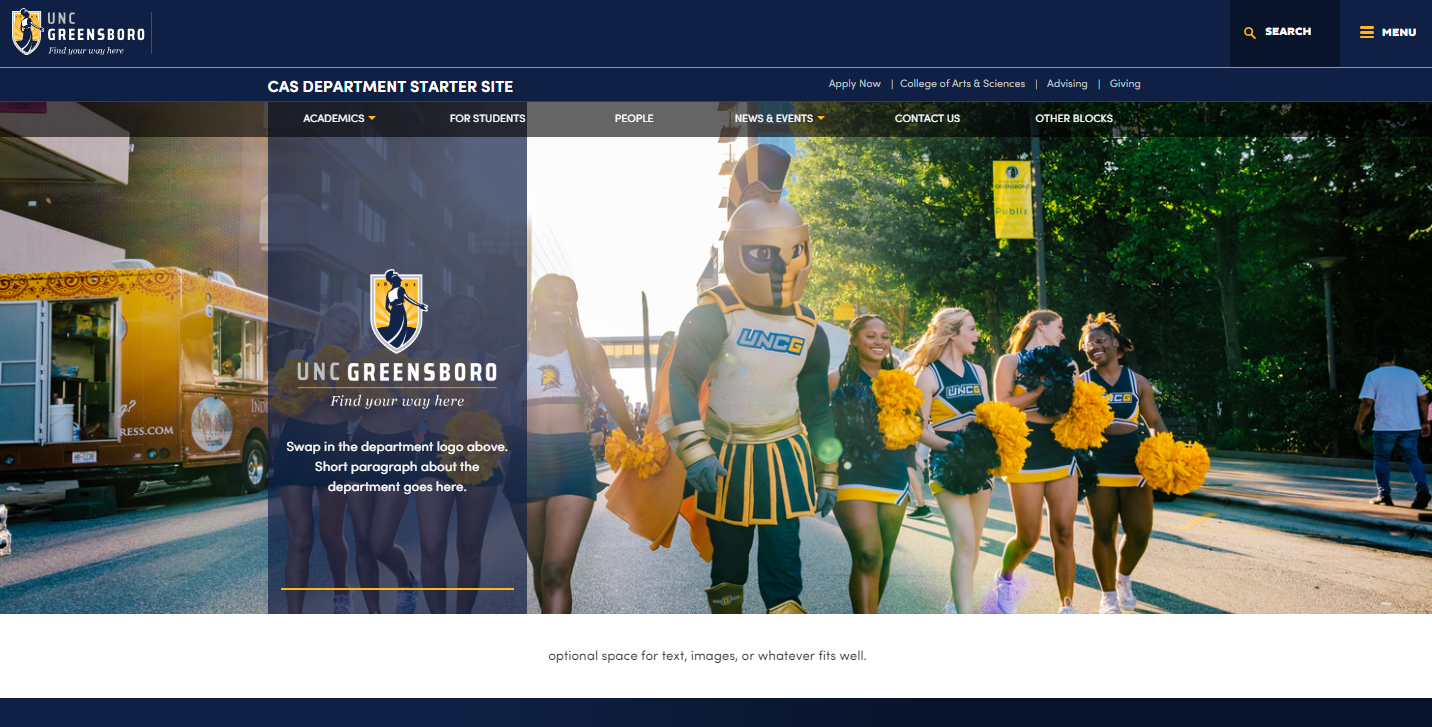
Introducing the CAS Department Template Site

It’s already February, and I only have until the end of June to rebuild CAS’ remaining 20+ department sites. Time is qui…

Share This